

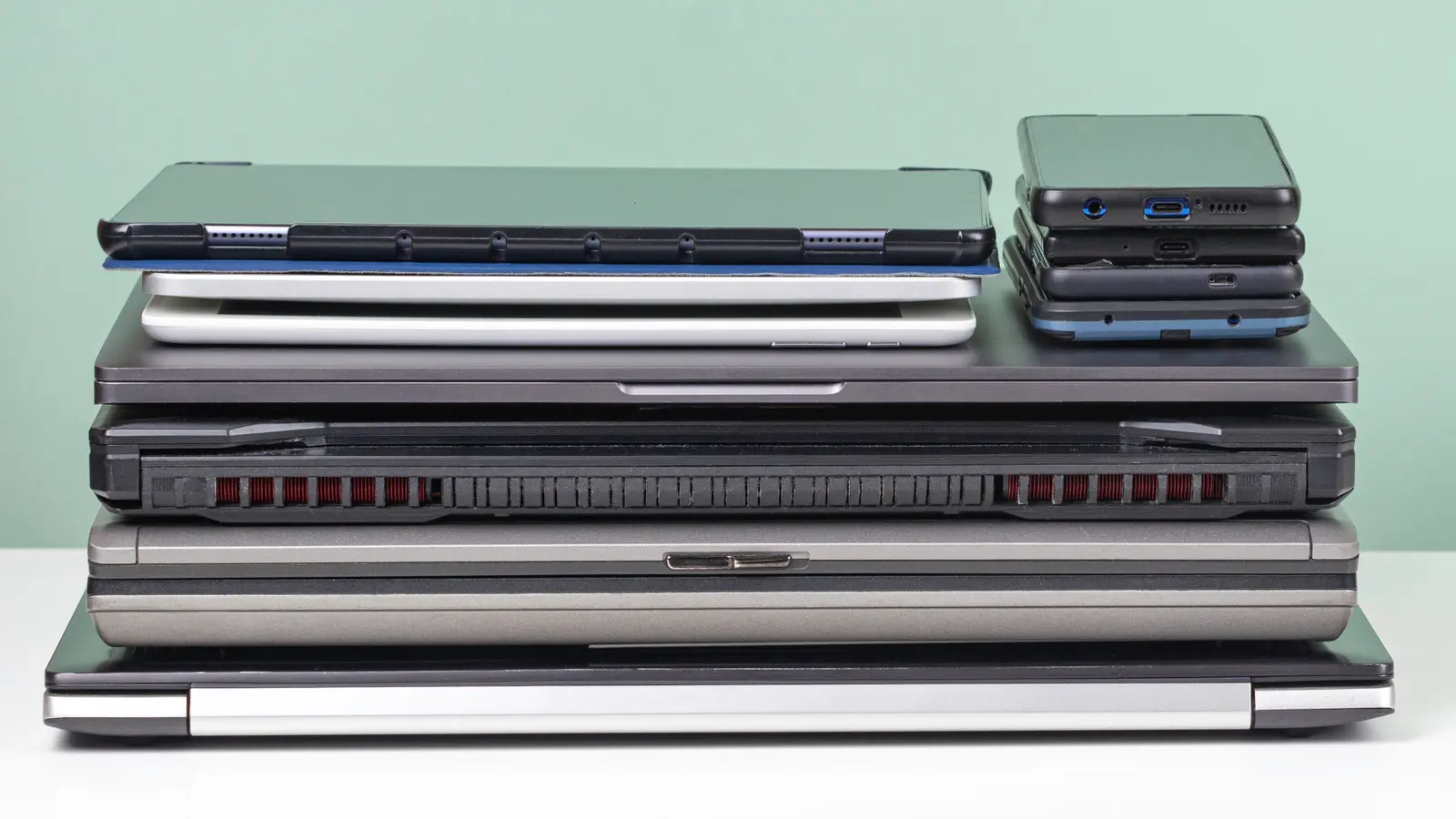
A World Health Organization report estimates that over 53 million tonnes of electronic waste was produced in 2019, yet only about 17 percent of that total was collected for recycling. When old electronics are tossed into the trash, they create environmental hazards, health risks for workers, and long-term pollution problems. The informal recycling sector, which often relies on vulnerable workers including women and children, absorbs many of these dangers. Fortunately, there are safer and more useful alternatives to simply discarding devices that still have life left in them.
Repurposing old technology at home can be practical, rewarding, and even financially smart. Old phones, tablets, laptops, monitors, and game consoles can be turned into alarm clocks, media centers, remote controls, smart home hubs, digital photo frames, dedicated webcams, and more. The key is to match the device's remaining capabilities with a job that does not demand the latest hardware. This approach extends product lifespans, reduces demand for new manufacturing, keeps toxic materials out of landfills, and helps households save money.
Key facts at a glance
- Global e-waste reached more than 53 million tonnes in 2019.
- Only around 17 percent of that e-waste was collected for recycling.
- Improper disposal can harm soil, water, air, and human health.
- Millions of informal workers, including women and children, handle e-waste under dangerous conditions.
- Reuse is one of the most effective ways to reduce electronic waste.
- Common repurposing projects include alarm clocks, media centers, second screens, smart home controllers, digital frames, and webcams.
- Before recycling or giving away a device, back up data and perform a factory reset.
Why repurposing matters
Every device that remains in service for another year is a device that does not need to be replaced immediately. That delay has real consequences. Manufacturing new electronics requires raw materials, energy, water, and transportation. It also generates emissions and often relies on mining practices that can damage communities and ecosystems. By giving an older phone or laptop a second role, consumers reduce the pressure to buy new products and keep useful hardware out of the waste stream.
There is also a financial angle. A new flagship phone can cost hundreds or even thousands of dollars. A tablet, smart display, or dedicated remote may cost less, but it still represents an expense. Using an older device that is already paid for can deliver many of the same conveniences without adding to the household budget. For families, students, and anyone looking to cut costs, repurposing is a sensible first step before shopping.
Alarm clock
The alarm clock may seem like outdated technology, but a dedicated bedside device still solves a modern problem. Many people struggle to sleep because their smartphone is always within reach, offering notifications, social media updates, news alerts, and endless scrolling. Even with do-not-disturb settings, the presence of a phone can interrupt rest. Studies and surveys have suggested that people check their phones constantly throughout the day, and that habit often follows them into the bedroom.
An older phone can become a simple, reliable alarm clock. Disable cellular service, Wi-Fi, and most notifications, or place the device in airplane mode. Leave only the alarm function active. Charge the primary phone in another room overnight. The result is a bedside clock that wakes you up without tempting you to scroll. A tablet can also work well if it is large enough to read easily and placed on a stand. For travel, an old phone can serve as a compact alarm that will not disrupt your main device's battery or data plan.
Dedicated media center
An old phone, tablet, laptop, or desktop computer can be permanently connected to speakers or a television to create a dedicated media center. Local music, movies, and photos stored on the device do not require an internet connection, and a wired connection avoids the frustration of dropped Bluetooth signals. If Wi-Fi is available, the device can also access streaming services, internet radio, and other online media.
Media server software can turn an older computer into a central library for films, shows, music, and photos. Some applications organize local files and streaming services in one interface. Pairing such a setup with a projector can create an affordable home theater. In a car, an old phone or tablet loaded with music can act as a mobile media player using an auxiliary cable, reducing distractions from notifications on a primary phone. Even a forgotten portable music player can find new life if it still holds a favorite playlist.
Chat device or replacement remote control
Streaming live events, tournaments, and creator broadcasts on a large screen often involves two activities: watching the main content and following the chat. Using a game controller or primary phone to participate can be awkward. An older phone or tablet can serve as a dedicated chat screen while the main television displays the stream. Screen sharing or casting sends video to the TV, while the smaller device keeps comments, reactions, and community discussion active.
These devices can also replace lost or broken remote controls. Many universal remote apps allow an old phone or tablet to control televisions, streaming boxes, and audio systems. Some apps offer keyboard input, voice search, and customizable buttons that original remotes lack. Choosing a repurposed remote over a new plastic remote reduces electronic waste and saves money. It also keeps a useful device out of a drawer.
Extra screens or monitors
Upgrading a television or computer monitor often leaves the previous display without a clear purpose. If it still works, it can become a second screen. An extra monitor can extend a desktop workspace for multitasking, editing, coding, or research. Rotating a monitor vertically creates an excellent screen for writing, reading long documents, or browsing social feeds. A docking station or adapter can make connecting older displays to a modern computer easier.
Not every extra screen needs to stay in an office. A spare monitor can be installed in a garage, workshop, home gym, or kitchen. In a garage, it can show sports, tutorials, or security cameras. In a home gym, it can play workout videos or display training intervals. In a kitchen, it can show recipes or family calendars. Even a small screen in a bathroom or laundry room can be useful for news, music, or timers. Giving the display away is always an option, but reusing it can add convenience to overlooked spaces.
Smart home hub
Smart devices continue to spread through homes, and many households now have lights, thermostats, doorbells, cameras, speakers, and appliances that connect to the internet. Managing all of them from a primary phone can drain batteries and clutter notifications. An older tablet or phone mounted on a wall or placed on a shelf can become a central control hub.
Install a small mount near a power outlet, connect the device to Wi-Fi, and run the relevant smart home apps. From there, users can adjust lighting, check doorbell cameras, monitor temperature, start laundry routines, and receive alerts. A central hub reduces the frustration of multiple devices trying to perform the same task. It also keeps smart home controls available to guests or family members without requiring them to sign in on their personal phones. A basement remodel, in particular, can benefit from a dedicated control screen, especially if the lower level has more smart devices than the rest of the house.
Digital photo frame
Many people carry thousands of photos on their phones but rarely see them. An older phone or tablet can become a digital photo frame that displays favorite memories throughout the day. A wall mount or stand can help the device blend in with other decor. Built-in screensaver features or slideshow apps can rotate through albums stored locally or in cloud folders.
This project works best with a device that has a decent screen and reliable power. Set the slideshow to run during waking hours, dim the screen at night, and choose albums that feature family, friends, travel, or milestones. A digital frame is especially useful in a living room, kitchen, hallway, or office. It turns idle hardware into a source of daily pleasure and gives old photos a chance to be seen rather than buried in an app.
Dedicated webcam
Video calls have become a normal part of work, school, and family life. A dedicated old tablet or phone can be set up on a stand in a quiet area with good lighting and a pleasant background. Installing a video conferencing app allows the device to handle calls without tying up a primary phone. This is helpful for long conversations, meetings, telehealth appointments, and remote classes.
In the kitchen, a mounted tablet or phone can display recipes, play cooking tutorials, or allow hands-free calls with relatives. Because the device is older, there is less worry about spills, grease, or sauce damaging a new phone. If the device still supports a web browser, it can also show recipes, timers, and shopping lists. A dedicated webcam setup keeps the primary device free and reduces the risk of damage in high-use areas.
Recycling and responsible disposal
Not every device can be repurposed. When an item is truly unusable, recycling is the most responsible option. Before disposing of any electronics, back up important data such as photos, documents, game saves, and account information. Then erase the device. Most modern phones, tablets, laptops, and consoles include a factory reset option in settings. Remove SIM cards, memory cards, and external storage. If possible, sign out of accounts and disable device tracking.
Recycling has become more convenient. Many retailers offer drop-off programs for small electronics, and some provide haul-away services when new appliances or televisions are purchased. Gaming retailers often buy back old hardware. Municipal recycling centers and manufacturer take-back programs accept a wide range of devices. Recycling recovers valuable materials such as copper, gold, silver, aluminum, and rare earth elements. It also keeps hazardous substances like lead, mercury, and cadmium out of landfills. Proper disposal protects both the environment and personal data.
Get creative
Repurposing does not have to be limited to technical functions. Sometimes the most satisfying projects involve reusing the shell, case, or familiar shape of an old device. A heavy old television can become a fish tank, coffee table, or display case. Phone cases can be turned into soap dishes, drawer organizers, or planters. Headphone wires, keyboard keys, and circuit boards can become jewelry, art, or decorative objects.
For those with technical skills, unrepairable devices can be modified for new purposes. Installing a small single-board computer inside a retro game console shell can create a modern emulation machine. Turning an old computer into a home server, firewall, or network-attached storage device is another option. Even broken hardware can donate parts for repair projects. The goal is to think beyond the original purpose and ask what the object could become next. With a little creativity, old technology can avoid the trash and continue to be useful.
Source: SlashGear News