

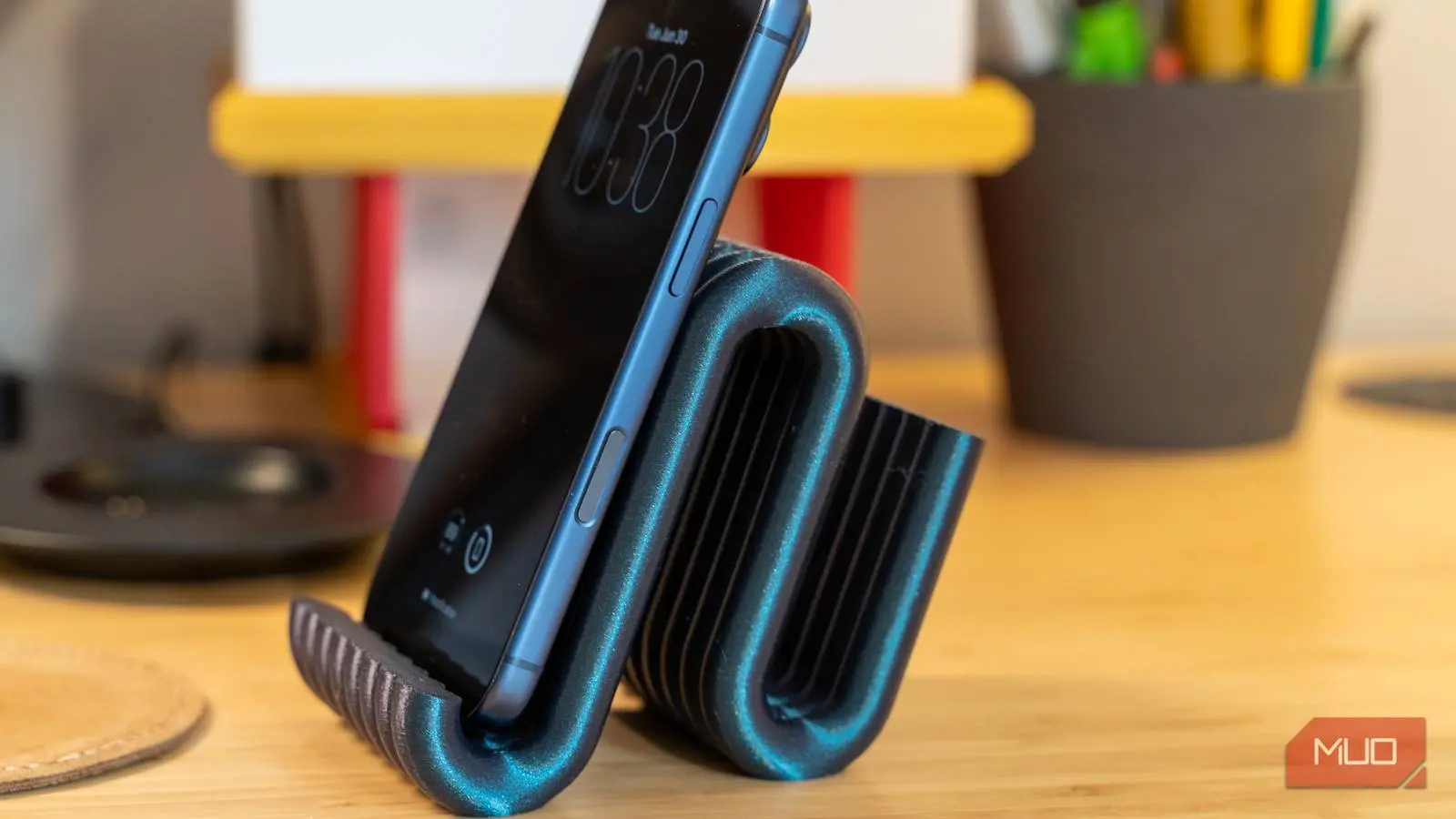
A phone stand seems like the most pointless thing to spend money on twice, yet most of us keep doing it. Every time a model changes or a stand cracks, you're back on a marketplace scrolling through plastic blocks for $15 plus shipping. The machines and the files needed to make this stuff yourself have gotten so cheap and so available that buying another stand doesn't make sense.
This is cheaper than you think
A printer will pay for itself after a few things
I used to avoid printing things out until I realized how cheap and accessible 3D printers have become. The cost of getting started has dropped a ton, so it's easier than ever to basically have a little factory in your living room. A decent beginner-friendly FDM printer, which uses melted plastic filament, usually runs somewhere between $150 and $500. There are things to keep in mind, but if you need one, they're not that expensive anymore.
I avoid the upfront cost by going to my library. They let you rent machines, which can cost a bit more over the long run, but I don't print enough to need one every day. Many public libraries now offer 3D printing services for free or a small fee per gram, making it even easier to try before you buy. Some makerspaces also offer memberships that include access to high-end printers like Prusa or Bambu Lab models.
Even if you buy a cheap one, it usually comes with features like auto bed leveling and fast print speeds that used to be found only on printers costing thousands of dollars. Modern budget printers like the Creality Ender 3 V2 or the Anycubic Kobra Neo include touchscreens, silent stepper drivers, and filament run-out sensors. These features dramatically reduce the learning curve for beginners.
If you plan to use it regularly, buying a printer might feel like an unnecessary splurge at first, but once you look at the math comparing material costs to retail prices, it starts to make a lot more sense.
PLA filament, which is the go-to for beginners, usually costs $20 to $30 per kilogram. Break that down, and you're looking at about two to three cents per gram. So something like a phone case or a phone stand uses barely any filament at all, usually amounting to somewhere between 30 and 50 cents' worth of material. Even a premium multi-part stand with cable management might use 60 to 80 cents of plastic.
Compare that to stores charging $20 to $30 for the same basic plastic item, and you're skipping markups that can run as high as 4,000%. Also, running the printer costs barely anything – typically 10 to 20 cents per hour for electricity, so you don't even need to include that cost.
So once you're making your own parts and accessories for fifty cents to five dollars a pop, the printer basically pays for itself after just a few things you would've otherwise bought at full price.
Finding and printing designs is pretty simple
Free sites and slicing software do the heavy lifting
Going from nothing to a custom-made phone stand sitting on your desk is actually pretty simple. You start by digging through the huge world of free 3D model sites online. Places like Thingiverse, Printables, or search engines like Yeggi, are loaded with thousands of free designs that people have already made for pretty much any device or purpose you can think of.
You don't need to know anything about CAD software or how to design things yourself; you can just search for what you want, like a simple dual-angle stand for your desk, a mount for your car's dashboard, or a nightstand charging dock that has little slots built in to route the cable neatly. Many creators include detailed descriptions and user reviews that help you pick the best design for your needs.
A lot of these designs are pretty clever too, like stands that print fully assembled and just fold open right off the print bed, no extra work needed. There are also magnetic phone stands that work with MagSafe cases, and universal stands that fit tablets up to 12.9 inches. The variety is staggering.
Once you find something you like, you download the file, which usually comes as an STL or 3MF file. Downloading that file doesn't mean you're ready to print yet. First, it has to go through a process called slicing, which turns the 3D model into instructions the printer can follow. You'd use slicing software like Cura or PrusaSlicer for this. The software acts as the middleman between the design file and the real object coming out of the printer.
When you load the STL into the slicer or editor, the program slices the model into a ton of thin horizontal layers, almost like a loaf of bread. From there, you tweak a handful of settings to get the best balance of strength, speed, and how much material you'll use. For something like a phone stand, you don't need it to be solid all the way through. Just make sure to set the infill somewhere between 10% and 30%, using a pattern like gyroid or cubic. This leaves air gaps inside that still hold up well structurally while saving a good chunk of plastic and print time.
Since you'll be sliding your phone in and out of the stand all the time, it helps to set two or three outer wall layers (shells) so the outside is sturdy even though the inside is mostly hollow. You can also enable ironing on the top surfaces for a smoother finish.
Once you've got all that dialed in, the slicer spits out G-code, and that is just the set of instructions the printer follows. This is every movement on the X, Y, and Z axes, how hot the nozzle should get, when to retract the filament, how fast the fans should spin, all of it. The software also gives you a rough estimate of how long the print will take, based on how far the nozzle has to travel and how fast it moves throughout the print.
Since phone stands are usually small and don't need a ton of plastic, they usually weigh around 15 to 30 grams. Most printers can knock one out in under an hour once everything's set up right. Between free community-made designs and slicing software doing the heavy lifting, anyone with a 3D printer can skip buying this stuff from a store and instead just make their own, way faster and cheaper than you'd expect.
The plastic you choose makes a big difference
You will probably ruin a few prints at first
The plastic you choose makes a big difference. PLA is the go-to for beginners because it's forgiving to print with and pretty strong when you pull on it, but it's brittle, and it gets soft starting around 130 degrees Fahrenheit. So if you print, say, a phone mount out of PLA and leave it in a hot car, don't be surprised if it warps.
If you want something tougher, you'll usually move up to PETG, which holds up better to impacts and has some flex, or ABS, which handles heat way better but is a pain because it shrinks a lot as it cools, causing warping. PETG is a good middle ground: it's almost as easy to print as PLA but can withstand temperatures up to 170°F and is more durable. ABS can handle up to 200°F but requires an enclosure to prevent warping.
That warping is actually one of the most annoying problems you'll run into. As a layer cools, it shrinks unevenly, and that shrinking pulls the corners of your print right up off the build plate. If your first layer doesn't go down right, the whole print is doomed. You'll come back hours later to a tangled mess instead of a finished part, which means you've wasted both filament and time.
So to avoid that, you really have to dial in your settings and your printer's calibration. Getting your Z-offset right matters a lot, since it controls how firmly the nozzle presses the first layer onto the bed. Keeping your build plate spotless also helps a ton. Wash it with dish soap, then wipe it down with isopropyl alcohol to remove any oils that can mess with adhesion.
In your slicer settings, you'll want to turn off the cooling fan for the first few layers so the plastic has a chance to settle and adhere properly before air hits it. Using a brim or raft can also help with warping, especially on tall prints.
Another common issue is stringing – thin wisps of plastic that remain between parts because the nozzle oozes during travel moves. This usually happens when printing at too high a temperature or with insufficient retraction. For PLA, try retraction distances of 5-7mm at 40-60mm/s speed to minimize strings.
Calibrating your extruder e-steps and flow rate is also crucial for dimensional accuracy. If you're printing a stand that needs to fit your phone perfectly, even a 0.2mm deviation can cause a loose fit. Fortunately, there are many calibration prints like the 'Calibration Cube' or 'XYZ 20mm' that help you dial in your printer.
Don't waste your money on a premium stand again
None of this works without some patience. You'll waste a print or two figuring out your bed adhesion, and PLA won't survive a hot car, no matter how careful you are with your settings. If you want something that withstands real heat or impact, you're looking at PETG or ABS, and both come with their own calibration headaches. For something you'll replace or redesign more than once, though, that math is hard to argue with.
Let's look at a typical real-world scenario: You want a sturdy MagSafe charging stand for your iPhone. Retail options from brands like Belkin or Anker cost between $25 and $40. A free STL file on Printables takes 45 minutes to slice and print, using about 25 grams of PLA (roughly 65 cents in material). Even if you factor in electricity and wear on the printer, total cost is under $1. If you decide to print a second one for your office, the cost is nearly zero because filament is already on hand. After four such prints, the printer has effectively paid for itself.
Beyond phone stands, 3D printing opens up a whole world of custom accessories: cable clips, headphone stands, tablet holders, and even wall mounts for game controllers. Once you have the printer, you can start making things you never considered buying because they cost too much or didn't exist commercially. Many users report saving hundreds of dollars per year by printing organizers, custom brackets, and repair parts instead of buying them.
Moreover, the environmental impact is lower than you might think. Retail phone stands are manufactured in bulk, shipped halfway around the world, and packaged in plastic and cardboard. A 3D-printed stand uses only the plastic you need, produced locally with minimal waste. If you mess up a print, you can recycle the failed plastic into new filament using desktop recycle machines – though that's still a niche hobby.
The learning curve is real but manageable. Start with simple, flat prints to get comfortable with bed leveling and first-layer adhesion. Progress to small functional objects like phone stands, then move on to more complex multi-part projects. Online communities on Reddit (r/3Dprinting, r/functionalprint) and Discord servers offer help troubleshooting almost any issue within minutes. Many YouTube channels like CNC Kitchen and Teaching Tech provide detailed calibration guides and material comparisons.
In the end, the decision to start 3D printing your own phone stands comes down to a simple question: would you rather pay $20 for a piece of plastic you didn't design, or invest a few hours of learning to make the same thing for 50 cents? For an increasing number of people, the answer is clear.
Source: MakeUseOf News